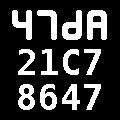
Google bots, Google bots everywhere.
Maybe that’s its way of saying it’s checking robots.txt?
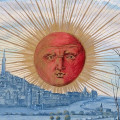
Google bots, Google bots everywhere.
Maybe that’s its way of saying it’s checking robots.txt?
In his case or in his phone's case?
FWIW I just looked at the two cell phones in our place, one Samsung and one Apple. Both have a hole in the case, and behind it a metal bracket surrounding the actual charging tab. If that bracket got forced out of its socket, you'd have the problem malloc is having.
It was the phones case. But zompist's explanation of how the tongue is fixed ton a bracket makes sense now.
Ah, thank you, now it makes sense.zompist wrote: ↑Fri Oct 31, 2025 7:03 pmFWIW I just looked at the two cell phones in our place, one Samsung and one Apple. Both have a hole in the case, and behind it a metal bracket surrounding the actual charging tab. If that bracket got forced out of its socket, you'd have the problem malloc is having.
Also FWIW, googling "phone charging slot loose" will suggest solutions, though it doesn't sound like DIY solutions are a good idea here. There are phone repair services.
Is this related to how the moon looks bigger the closer to the horizon it is?
Now I cannot unsee this.
Not sure I understand what you mean - you can't unsee my post, or you can't unsee the same effect on your own screen?
The latter. Ironically it was the same with the aforementioned effect with the Moon.
Open the ‘Fill and Stroke’ panel (Shift+Ctrl+F, apparently), set the fill to none, set the stroke to whatever colour you want. Or the other way round if you want to draw filled-in shapes, of course.Raphael wrote: ↑Wed Nov 26, 2025 5:18 pm There seems to be something seriously wrong with my Inkscape settings. Whenever I try to use either the pen tool or the pencil tool to draw simple lines, I don't get lines at all, I just get filled-in geometric shapes. Any idea what might be wrong, and how I can fix it?